Application developer
Pass a user question and relevant context to a language model, then display the answer in an app.
A response can be reviewed for relevance and formatted before it reaches the user.
novita llmModel requests
Novita helps you turn a model input into an output your application can use. The essential workflow is to choose a suitable model, send a well-formed request, inspect the response, and handle failures without assuming every model behaves alike.

The request-and-response pattern stays similar across tasks, but the input, expected output, and validation checks change.
Pass a user question and relevant context to a language model, then display the answer in an app.
A response can be reviewed for relevance and formatted before it reaches the user.
novita llmSend a focused code task with the language, constraints, and surrounding file context.
The proposed change can be checked with tests rather than accepted solely because it sounds plausible.
novita coding planUse a visual prompt to explore image concepts before committing to a production asset.
The returned image can guide a design iteration, subject to the selected model's supported inputs.
novita image modelsPrepare text or audio input for a voice-related task when a compatible model is available.
The output can be checked for intelligibility, timing, and suitability for the intended audience.
novita voice modelsTreat each response as the result of a specific model, input, and set of options—not as a universal answer.
Decide whether you need text, code, image, or audio output. Check the selected model's accepted inputs and output shape before preparing a request.
State the task clearly, include only useful context, and specify constraints such as format or length where the model supports them.
Check the returned content, handle an error or incomplete result, and test important outputs before using them in a live workflow.
The same basic workflow serves different teams, but a useful result depends on what happens after the model responds.
For an application, define what a successful result looks like before connecting a model. A text answer, generated image, and audio file need different validation and display paths.
When evaluating Novita for an experiment, record the model, input, options, and evaluation criteria. Changing multiple variables at once makes it harder to explain a different result.
Generated material can provide a first draft or concept, not automatic approval. Check accuracy, tone, rights, and whether the output meets the brief.

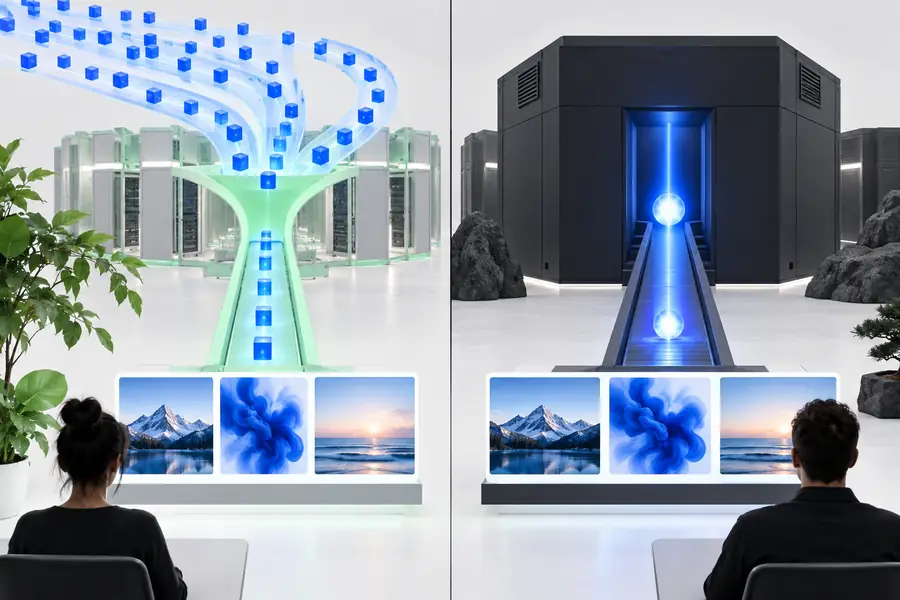
These visuals illustrate the workflow; they are not a measured before-and-after benchmark or a guarantee of output quality.
Inference returns a model result. It does not replace validation, testing, or decisions about how that result should be used.
A request that suits one model may fail or behave differently with another.
WorkaroundCheck the chosen model's input requirements and test a minimal request first.
Fluent text and convincing-looking media can still contain mistakes or miss the brief.
WorkaroundVerify consequential claims and review generated assets before publication.
Requests can fail, time out, or return output your application cannot use.
WorkaroundHandle errors explicitly and define what users see when a result is unavailable.
Response time and output characteristics depend on the selected model, input, and operating conditions.
WorkaroundTest with representative inputs instead of relying on an illustrative example.
If your task already has a known output type, continue with the page that addresses it directly.
A quick experiment and a user-facing feature can begin with the same task, but they need different safeguards.
One-off exploration
See whether a model can address the task
Application workflow
Produce a result the application can handle consistently
One-off exploration
A representative example
Application workflow
Validated user input with clear constraints
One-off exploration
Manual inspection
Application workflow
Format checks plus review where the stakes require it
One-off exploration
Investigated as they occur
Application workflow
Handled with a defined fallback
One-off exploration
A few illustrative results
Application workflow
A repeatable set of realistic cases
One-off exploration
Settings can be adjusted freely
Application workflow
Model and input changes are tested before release
Choose a task, prepare an input, and inspect what the selected model returns. Use that result to decide which checks and fallback behavior your workflow needs next.
It refers to sending an input to a model and receiving its output through a Novita-related workflow. What you send and receive depends on the model and task, so check the selected model's requirements.
No. Inference uses a model to produce a result from an input, while training changes a model using data and an optimization process. This page covers the request-and-response side.
Include the task, relevant context, and any output constraints the selected model supports. Avoid unnecessary information, and confirm the input matches that model's expected format.
A response should be checked against its intended use. Verify important facts, inspect generated media, and handle results that are incomplete, malformed, or unsuitable.